
Automation, extensions, and devtools
Driving the browser from a terminal, an agent, or Siri
Automation is off by default, and it unlocks in layers. Reading pages, running scripts, taking screenshots, and sending genuine mouse clicks are four separate switches, and real clicks additionally need macOS Accessibility permission.
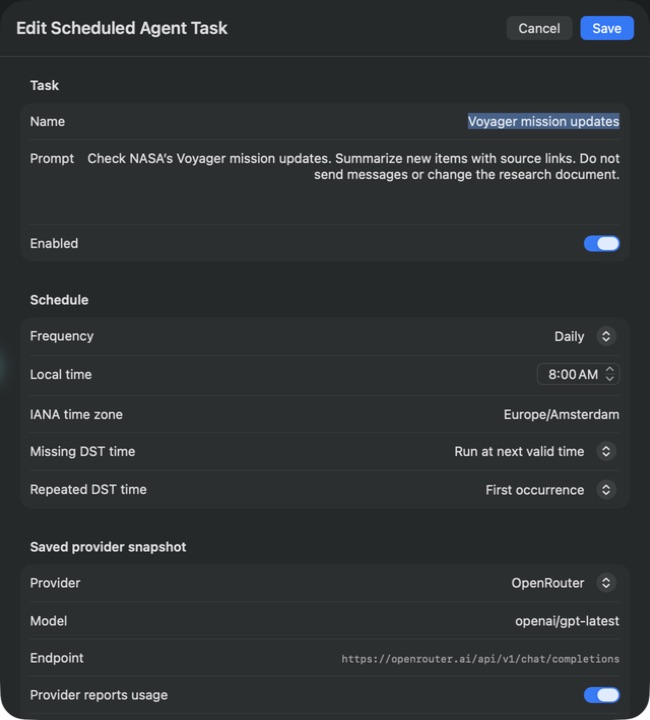
For recurring agent work, use Scheduled Tasks in Settings, Agent. The screenshots below show an unsaved Voyager update-check draft. The provider, origins, permissions, and budgets need review before any task is enabled.
Things to try
about 7 minutesWorth filming
The captcha handoff. A script stops, a human solves it in the window that was there all along, the script continues.
Settings panes behind this chapter: Agent, Security.