
Research workspaces
The browser remembering which sources you actually considered
This is the largest and least obvious feature. A workspace is a named research project that owns its tabs, keeps a ledger of the sources you kept and the ones you rejected, and lets you write a document that cites exact places inside them.
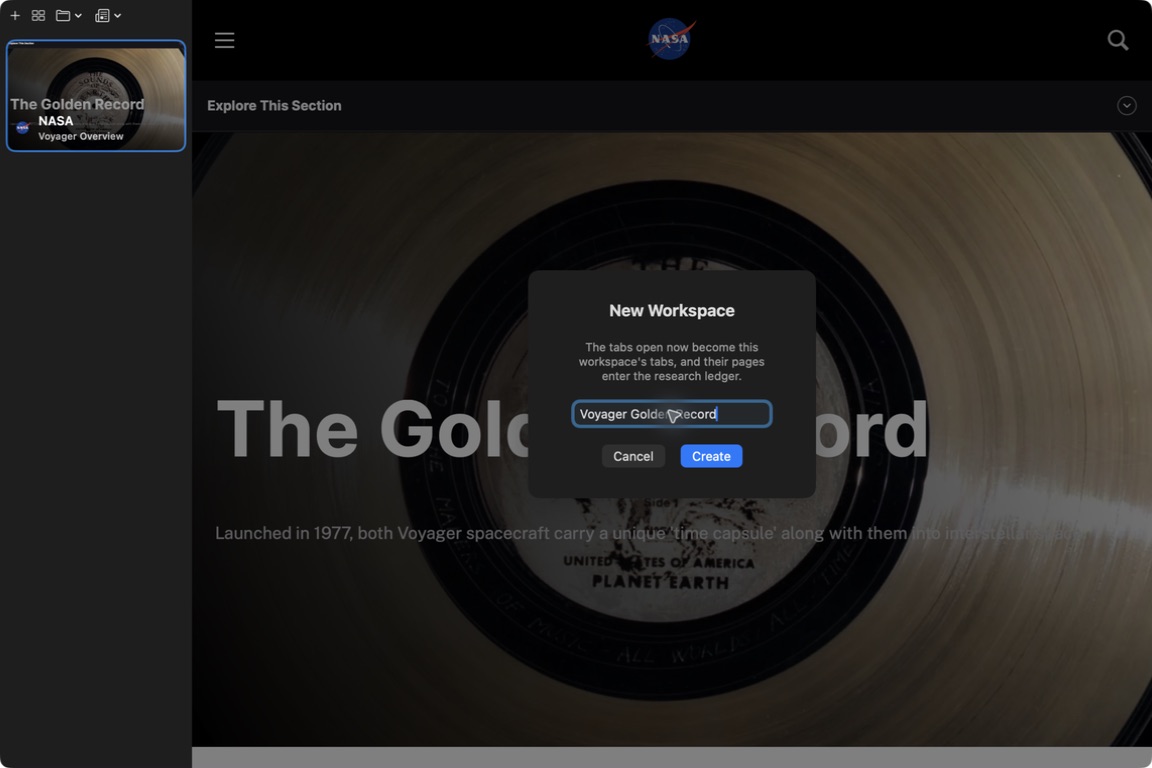
Two rules explain everything else. A page enters the ledger when it settles, meaning it loaded and you stayed with it for twenty seconds. Closing a tab is how you reject a source, so it records a rejection and captures nothing.
Ordinary browsing is the default workspace, which is the absence of a workspace. Nothing is captured there.
For the demo, investigate the Voyager Golden Record: how could someone decode it, and what did its makers choose to send? Use the NASA sources below, keep notes, and trace the citations in a short document. Workspace documents require iCloud Drive. These screenshots use an isolated Browser 2.8.4 test build with local document storage, so they demonstrate the research interface, not iCloud sync.
Things to try
about 10 minutesWorth filming
Start with the Golden Record page, create the workspace, then import the research brief. Open Graph & Audit to trace its three citations back to NASA. Finish by opening a source and anchoring a selected passage. Imported links establish provenance, not proof: read each source before treating the claim as supported.